Absolute precision in every click.
Professional extension for Roblox. Customize modern crosshairs for any game mode to gain full visual control and competitive advantage.
Crosshair Library
24 hand-crafted competitive overlays

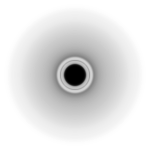










Interactive Preview Stage
Test any crosshair against different game scenarios
Design Philosophy
We develop at the intersection of functionality and visual purity. No unnecessary elements distracting from your gameplay.
Full Control
Default crosshairs and cursors in game modes are often inconvenient. Our extension lets you choose the right one for your playstyle.
Add the extension to your browser in one click from the official catalog.
Open the control panel and choose your favorite crosshair style.
Launch your favorite mode in Roblox and enjoy a new level of precision.
Is it safe to use the extension?
Yes, absolutely. The extension does not interfere with the game's client-side code, keeping your account safe from bans.
How to change the style or color of the crosshair?
After installing the extension, open its icon on the browser toolbar, go to the style library, and select your preferred option in one click.
Does the extension work in all Roblox modes?
Yes, the custom overlay functions stably over any game modes launched via the Roblox web client.
Where to download and how to update?
The extension is available in your browser's official catalog. Updates to new versions happen automatically in the background.
"Style #04 gave a huge advantage for long-range targeting. Installed in 10 seconds with zero lag."
"Finally found custom neon dots that don't blind your vision in dark spots. 10 out of 10."

"Sleek visual design and effortless crosshair switching. Works seamlessly right in the browser."